
This guide shows you how to install Pro version of SocialFeeds.
Here we are assuming that you already have bought SocialFeeds Pro and have a license key with you, if you haven't done that please check guide for How to buy SocialFeeds Pro.
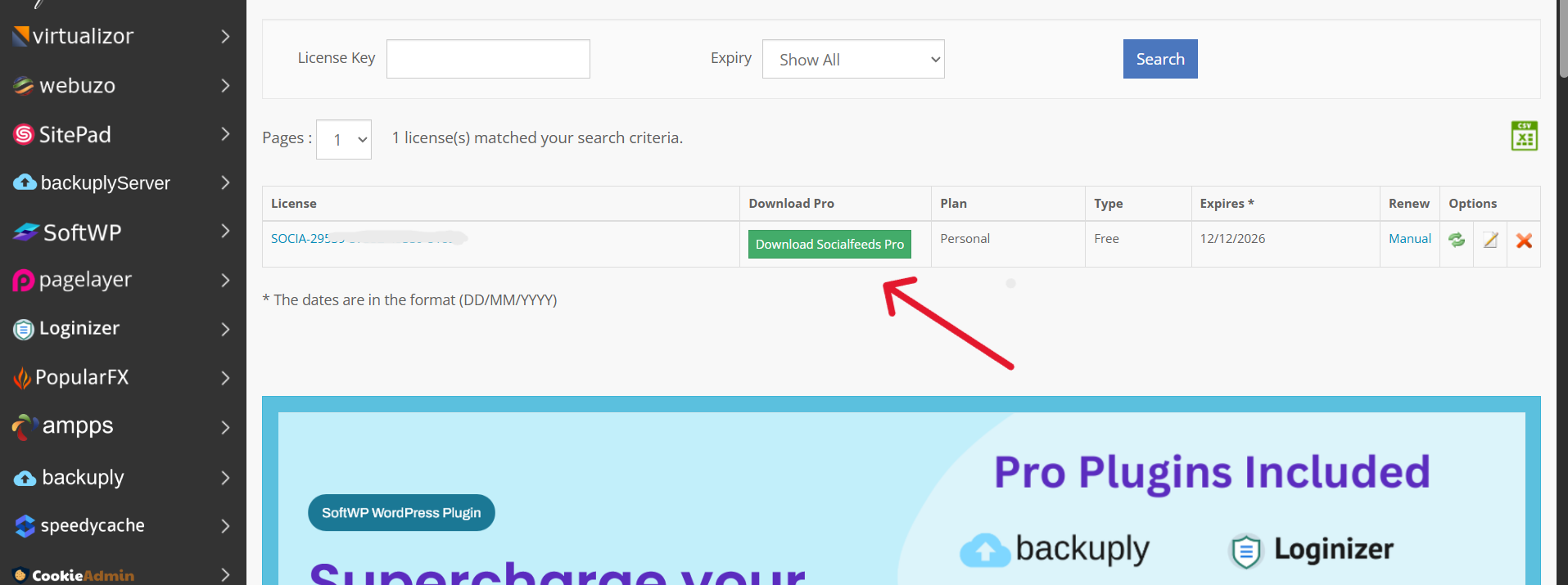
The SocialFeeds Pro Plugin is available for download from the Client area after you have purchased your license.
The following is a screenshot of the Client area showing the download link :
The following is a screenshot of the Client area showing the download link :
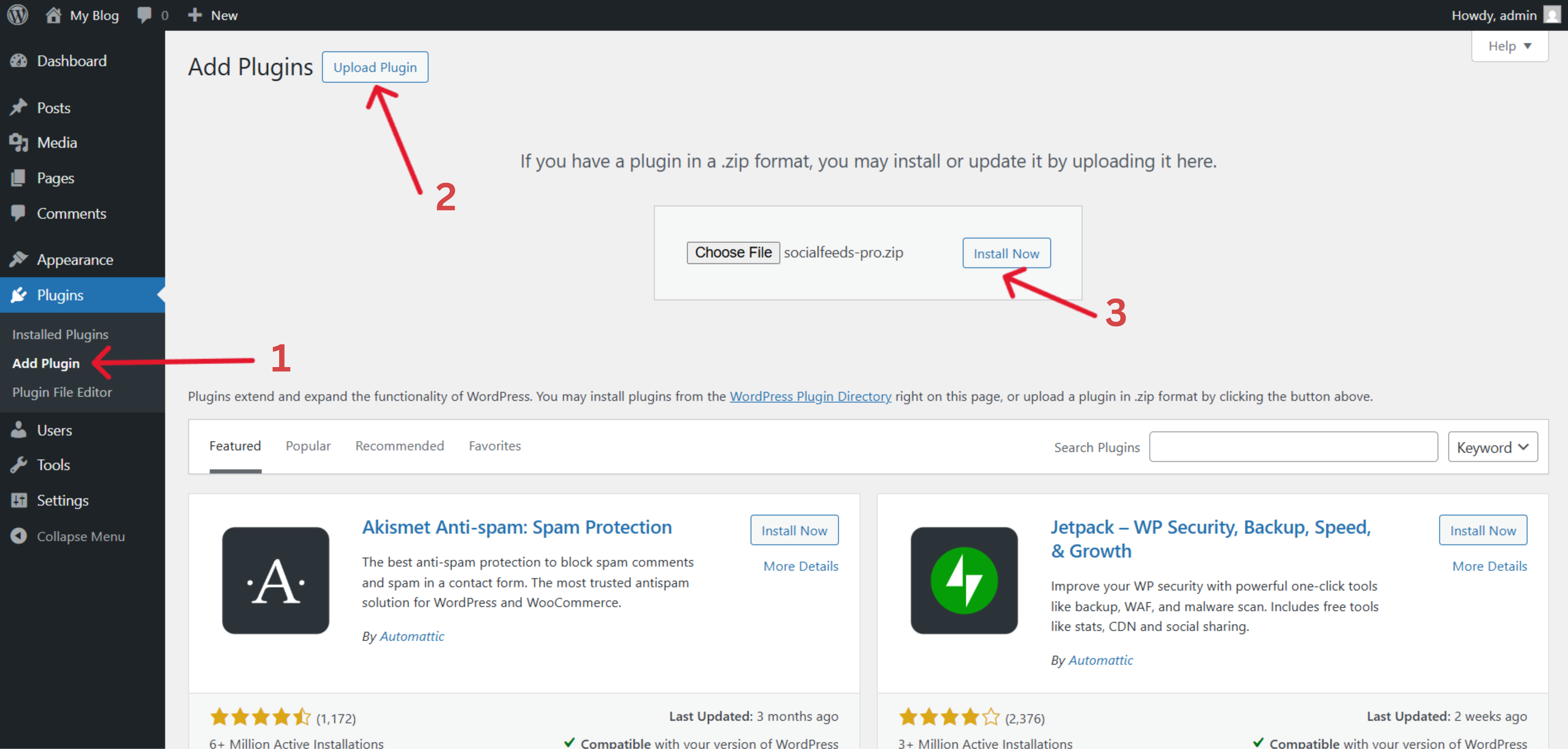
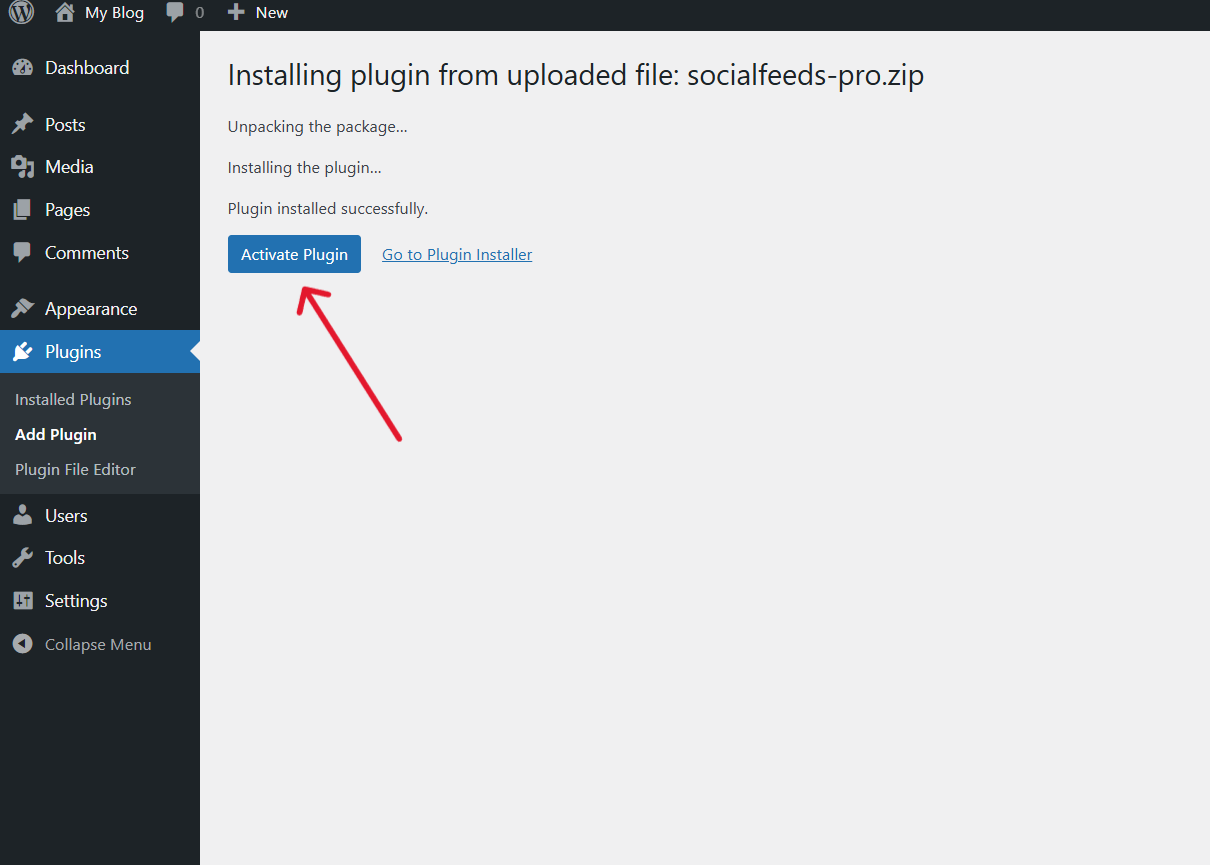
Linking License with the Plugin
After installation, you just need to link the license with the Plugin and then you will be able to get updates.
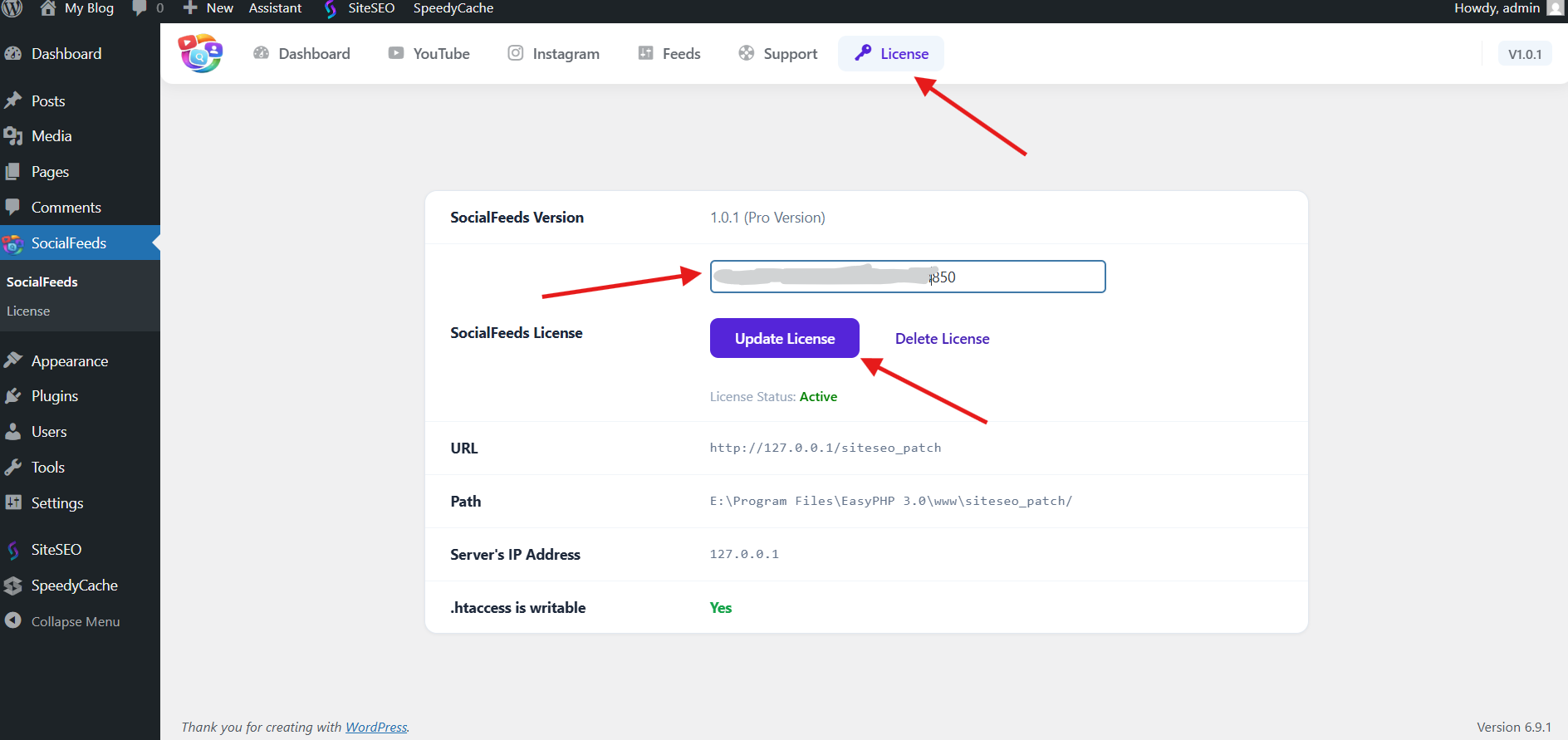
If you face any issue in any step, you can reach out to our support team, they will help you out, you can contact us at [email protected]